Product labels
Names, codes and prices to organize shelves. Configuration depends on the selected paper and printer.
Demonstration with fictional data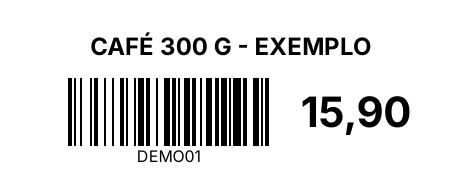

Review version · Software de Mercado sales are not open.
A desktop system to organize products and sales on your store computer. Explore the application and discuss setup for your store.
Application previews and printing examples with fictional data. These are not real sales or authorized fiscal documents.
Static preview: dark mode.
Static previews of the real application. Switching images does not change your store configuration.
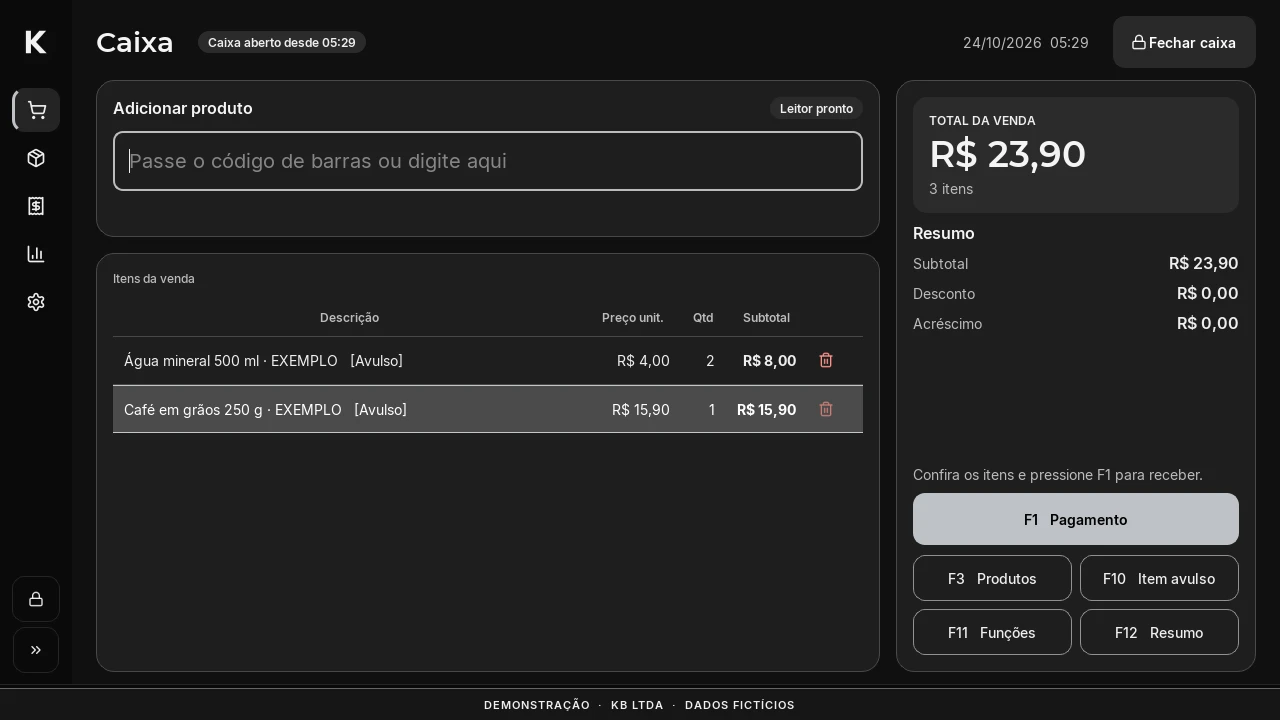
Actual application preview with fictional data. Software de Mercado is a KB LTDA product; store branding and details are configured during setup.
Open preview imageNames, codes and prices to organize shelves. Configuration depends on the selected paper and printer.
Demonstration with fictional dataSummary of items, amounts and recorded payments. This example is identified as a non-fiscal document.
Demonstration with fictional data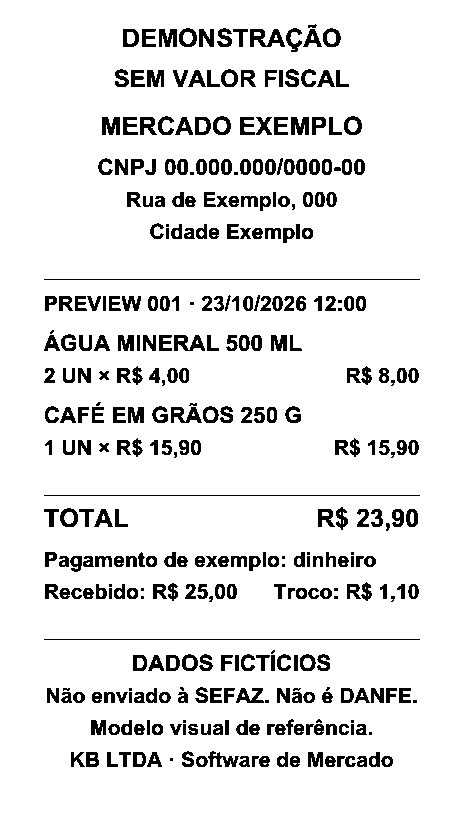
Checkout with products, quantities, discounts and a sale summary. Keyboard shortcuts help at the counter.
Record received payments and review till closing. Recording a payment does not process cards or replace a payment provider.
Create and edit products, categories, prices and stock. Price labels show the name, price and an optional barcode. Deleting products requires the owner’s password.
In the form, enter your application name, colours and logos. We then bring together branding, workflow and equipment to assess setup.
Private form linked to your account. It does not purchase a license, accept a contract or create a charge. Do not send passwords, certificates or CSC codes.
Name, colour, main logo and compact symbol, alongside store details.
Printer, scanner, cash drawer and basic fiscal details to review.
Review and save your details. Scope, compatibility and proposal are agreed before contracting.
Operation depends on the model, connection, driver and computer. We record the equipment and assessment result for each setup.
Windows, 58 mm paper and approximately 48 mm usable printing width.
Demonstration labels and receipts checked on this configuration. Fiscal QR codes, fiscal integration and other configurations still require validation.
Reference scanner: FL S30 USB 1D, identified by the owner and used in a test scan. The cash drawer model still needs selection and assessment. Assessment applies to the model, connection and environment checked.
The store purchases its own computer, screen and peripherals. KB does not sell, supply or order hardware. Tell us the Windows version so we can assess the setup; compatibility with every computer is not guaranteed.
Submit make, model and connection through the form. We confirm what is included and any additional work before contracting, with an advance quote where needed.
Prices selected for this review. These are alternatives: a subscription does not require buying the one-time license.
R$ 1,490once
Keep using the purchased version without a mandatory monthly fee, within the agreed compatibility requirements.
A use license does not transfer source code or ownership of Software de Mercado. Ongoing support and future compatibility are not perpetual promises.
R$ 149per month
Use the software, with operational support and updates to the current product line during the paid subscription.
This does not include unlimited service or a new custom system. No recurring charge or automatic license expiry is enabled in this review.
Custom work and extra training require a quote approved before the service. KB does not sell, supply or order hardware. No hourly rate is set here.
Setup, technical validity, updates, support and cancellation conditions remain under review. This page has no checkout or contract acceptance.
The draft is under internal review and will be provided before contracting.
Brazilian product, priced in BRL. The English page explains this same offer; it does not add a USD or US-compliant software plan.
Setup depends on your computers, peripherals and workflow. Software de Mercado is separate from website creation. Installation, training and service scope will be confirmed in writing before contracting.
Windows application, currently in Portuguese with BRL amounts. Fiscal receipt issuance (NFC-e), integrated card processing (TEF) and compliance with other countries’ requirements are not available in this offering.
Checkout uses a local database. Cross-device features and external backups depend on your network and backup destination. We will check your setup during the demo.
Setup is guided. We first review your workflow, equipment and backups, then agree on delivery. This page does not distribute the installer.
Complete the form with what you already know. You can save a draft and add details later.
Sales remain under review. Fiscal issuance and TEF are not available in this presentation.
[email protected]